Description
Take Orders Now, Get Paid Later. You’re in Control.
Running a parts business means dealing with shops, fleets, and wholesalers who work on invoices. They need net-30 terms. You need to get paid. Our Invoice Payment Method plugin bridges that gap. It adds a “Pay by Invoice” option at checkout, but only for the customers and orders you specify. This isn’t a free-for-all; it’s a professional tool for professional businesses.
How It Works: Simple Setup, Smart Rules
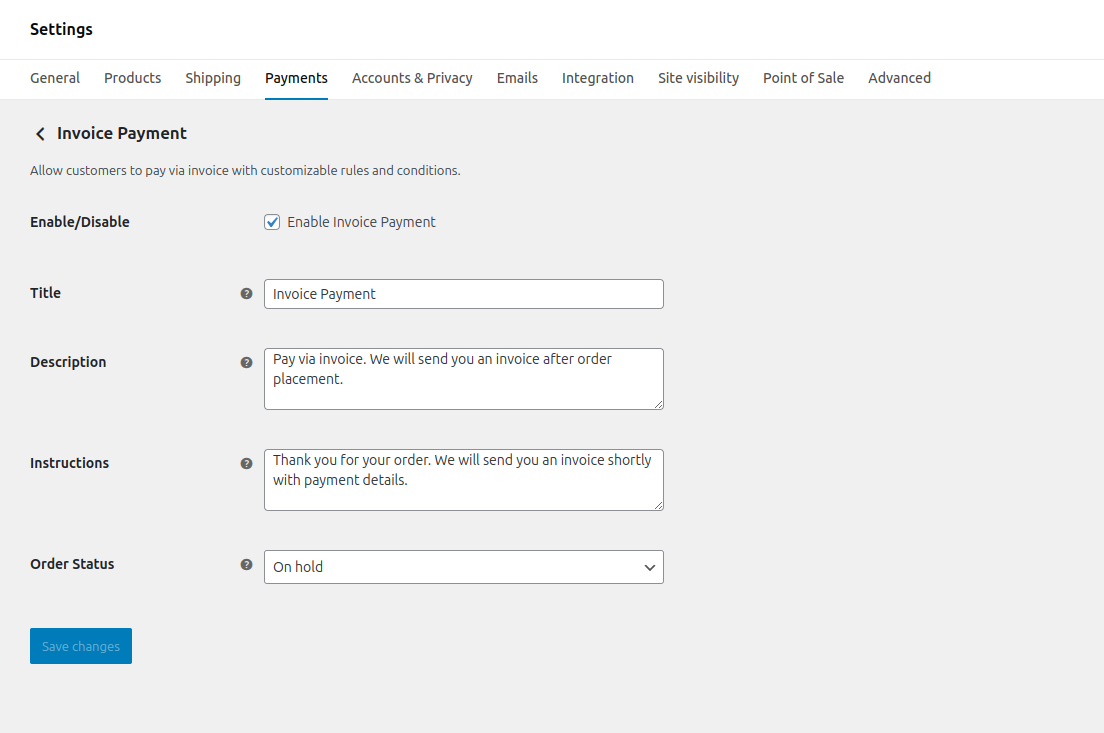
1. Turn It On. Enable the method in your WooCommerce settings. Set a title, description, and default order status (like “On Hold”). Done. Customers you allow can now select “Invoice” at checkout.
2. Set Your Rules (If You Want). This is where you get precise. Create rules to show the invoice option only when certain conditions are met. The system checks these in real-time at checkout. If the customer and cart fit, they see the option. If not, they don’t. It’s that clean.
3. Get The Details & Invoice. When an invoice order is placed, the plugin captures a PO number and customer notes. It then automatically generates a branded PDF invoice and attaches it to the order emails sent to you and the customer. The paperwork is handled.
Key Features: Built for the Real World
- Customer Targeting: Show the invoice option only to specific user roles (like “Wholesaler”), individual customer accounts, or guest users. Block retail customers automatically.
- Geo-Fencing: Restrict invoice payments by country, state, city, or ZIP code. Offer terms domestically but require upfront payment for international orders, for example.
- Cart & Product Rules: Allow invoices only for orders over a certain dollar amount, for specific product categories, or when using certain shipping methods. No invoices for a $20 bolt, but sure, for a $500 transmission.
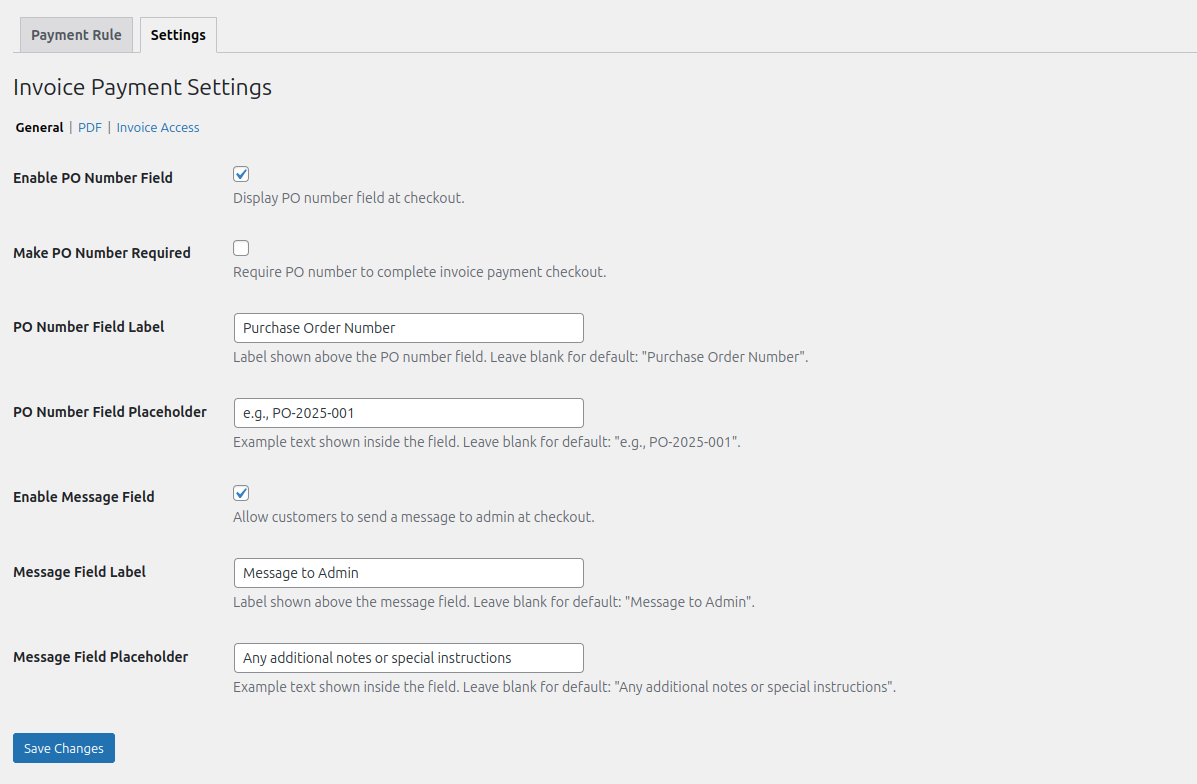
- PO Number & Notes: Make the Purchase Order field required or optional. Let customers add notes to the order. Get the information you need for your accounting department right at checkout.
- Professional, Automated Invoices: Generate clean PDF invoices with your logo, terms, and branding. They’re created and emailed automatically. No manual copy-pasting.
- Flexible Settings: Control every message, label, and status from the WordPress admin. No code required.
Common Use Cases
For Wholesale Customers Only: Create a rule that shows “Pay by Invoice” only for users with the “Wholesale Customer” role. Require a PO number. Your retail site visitors never even see the option.
Large Orders Only: Set a rule to only show invoices if the cart total is over $1,000. This encourages upfront payment for small stuff and extends terms for the big, profitable orders.
Specific Regions: Enable invoice payments only for customers in your home state or country. Manage your credit risk by geography.
<strong


Reviews
There are no reviews yet.