
Description
COD Fee by Location for WooCommerce
Stop Eating Shipping Costs. Charge What’s Fair, Where It’s Fair.
Let’s be straight. Cash on Delivery (COD) is a service, not a charity. If you’re shipping a big, heavy box across three states for a COD order, that extra handling and risk comes out of your pocket. Generic flat fees don’t cut it. You need precision.
That’s why we built COD Fee by Location. This isn’t a bloated “all-in-one” suite. It’s a specialized tool with one job: to automatically add a dynamic surcharge to COD orders based exactly on where the package is going. You set the rules for specific areas, and it does the math at checkout. No guesswork. No profit loss.
It’s built on modern code, fully compatible with WooCommerce’s High-Performance Order Storage (HPOS) and the new Block-based Checkout. It won’t slow you down or break on an update.
How It Works: Pinpoint Control Over Your COD Fees
Forget one-size-fits-all. This plugin gives you the targeting tools of a logistics pro, right in your WordPress dashboard.
1. Granular Location Targeting
- By Country & State: Apply a base fee for an entire country, or add a premium for specific states or provinces.
- By City: Got a metropolitan area with crazy traffic and delivery headaches? Slap on a custom fee just for that city.
- By ZIP / Postcode: This is the real precision. Paste a list of postcodes (one per line) and set a fee just for those neighborhoods. Ideal for remote areas, industrial zones, or anywhere your carrier charges you extra.
2. Set the Fee Your Way
- Fixed Amount: Charge a flat fee. Example: $7.50 for COD orders to Zone A. Simple.
- Percentage of Cart: Charge a percentage of the order subtotal. Example: 4% for high-value orders to offset the increased risk.
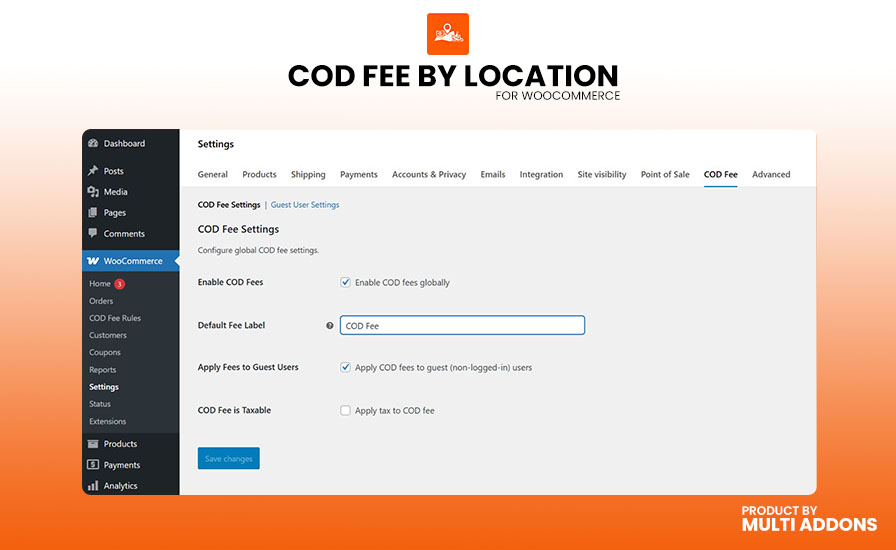
- Tax & Multi-Currency Ready: Choose if the fee is taxable. Fixed amounts automatically convert for stores using multi-currency switchers.
3. Advanced Rules for Complex Scenarios
Location is just the start. Layer in cart conditions to fine-tune your logic.
- Cart Total Rules: Only charge the fee if the cart is under a certain amount (to protect small orders), or over a certain amount (for high-risk value).
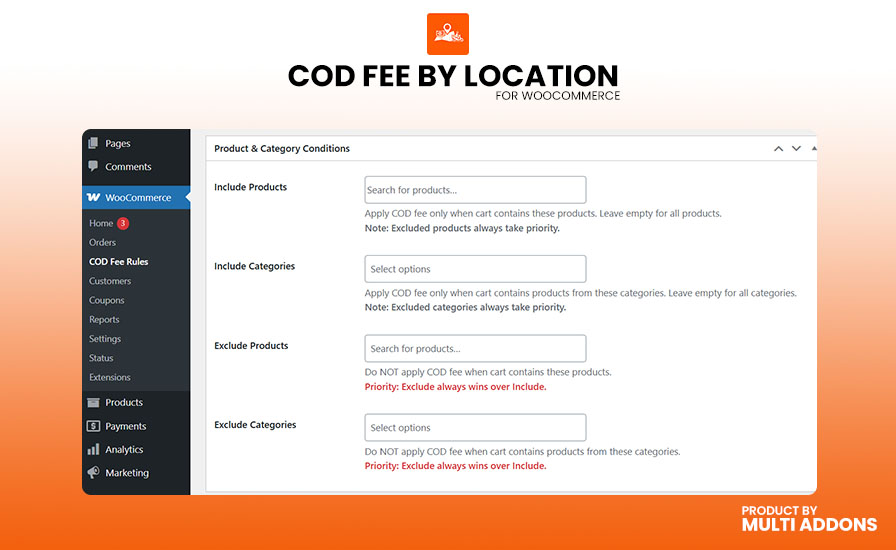
- Product & Category Rules: Trigger fees only if specific items or categories are in the cart. Or, crucially, exclude them. Waive the fee for your high-margin items, or disable COD entirely for that one fragile, expensive SKU.
4. Rule Priority System (No Conflicts)
What if a customer in New York (rule #1) also buys a special category item (rule #2)? Which fee applies? You decide. Assign a priority number to each rule. The rule with the highest priority number wins. You’re always in control of the final price.
5. Control Who Sees It & Who Pays
- User Role Pricing: Apply a COD fee to retail customers, but waive it for your wholesale buyers. Easy.
- Guest Restrictions: Don’t want unregistered users placing COD orders? Enable guest restrictions. You can hide prices or disable the “Add to Cart” button until they log in, with a custom message prompt.
Built Right for Today’s WooCommerce
We don’t sell legacy code. This plugin is engineered for the current ecosystem.
- HPOS Compatible: Fully declared compatible with WooCommerce’s High-Performance Order Storage. Your database stays fast.
- Block Checkout Ready: Works seamlessly with the modern, React-based Block Checkout. No jQuery conflicts, no broken layouts.
- Instant AJAX Updates: The customer changes their shipping address at checkout? The fee recalculates instantly, right there. No page reload, no confusion.
The Bottom Line
Other plugins might offer a COD fee checkbox, but they lack the surgical precision needed for real-world shipping costs. They’re often built on old code that breaks the Block Checkout.
COD Fee by Location is lean, focused, and built to current standards. It’s the tool you get when you understand that shipping costs aren’t uniform, and your fees shouldn’t be either.
Price: $53.90 – That’s less than the profit you’ll lose on a handful of poorly priced COD orders. It pays for itself.
Take control of your COD margins. Cover your actual costs. Stop leaving money on the table.



Reviews
There are no reviews yet.